VRChat
PulsoidでVRChatに心拍数を表示する方法
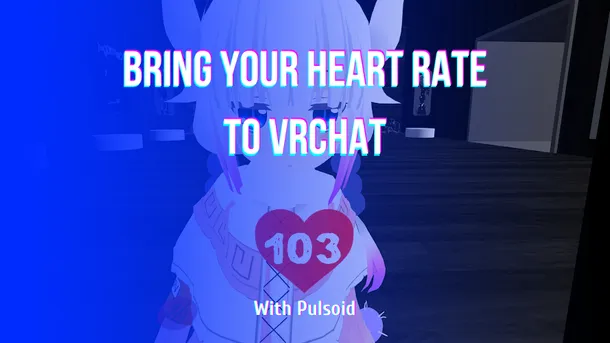
Pulsoid OSC、VRCOSC、MagicChatBox、TTS Voice Wizardなどのツールを使って、VRChatで心拍数をリアルタイムに表示する方法を解説します。

Pulsoid OSC、VRCOSC、MagicChatBox、TTS Voice Wizardなどのツールを使って、VRChatで心拍数をリアルタイムに表示する方法を解説します。
Learn how to show your heart rate in real time in VRChat with Pulsoid using Pulsoid OSC, VRCOSC, MagicChatBox, TTS Voice Wizard, and other tools.
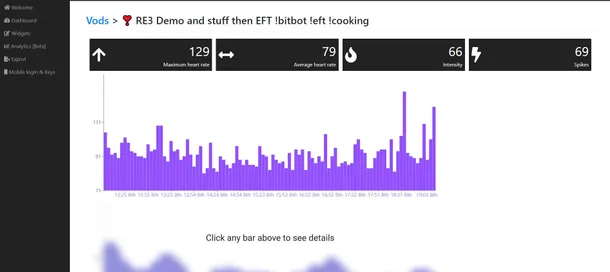
Twitch, Mixer Stream and Vods analytics based on heart rate data during broadcast. Pulsoid Analytics
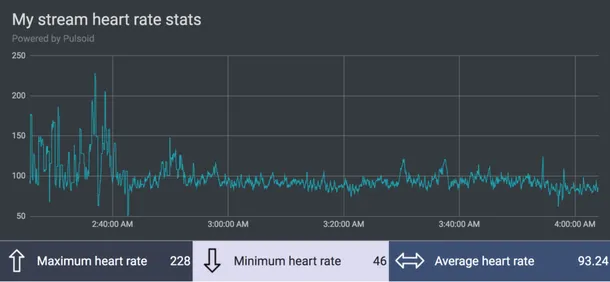
The new BRO plan feature is live. Hello, guys. First of all, we are happy to welcome you to our blog and from all the team I want to thank you for your attention to Pulsoid service. Today we are happy to introduce a new feature from the requests list: export to CSV. Now you can download your heart rate data from any stream and built your own statistics or save for later research. Unlike the analytics(that works for 100% only for Twitch and YouTube channels right now) feature,
Create stunning clips after your stream using heart rate data! The analytics tool is available in a Pulsoid BRO plan. Pusloid|BRO — Analytics It allows you to check the history of your vods and find the best moments based on heart rate data. What can be better than have a real graph of how the stream was going? Let’s check how it works: analytics tab — Pulsoid BRO Open Analytics tab in Space. You will see a Channel field and Vods field. Update your channel if needed and find