Pulsoid Integrations. Discord Webhooks.
The Discord Webhook integration lets you automatically send messages with your heart rate to a channel on your Discord server. When your heart rate reaches the triggers you set, Pulsoid posts a message straight to Discord using your webhook URL.
You can also use this integration to automatically post clips to your server.
Note: This feature is available on the BRO plan.
Have an idea for another integration? You can submit your request here.
How to set up:
- Make a new Webhook in your Discord
- Add Webhook Integration in Pulsoid
Making a Webhook in Discord:
To send your heart rate updates to your Discord server, you’ll need to create a webhook URL for one of your text channels. Learn more.
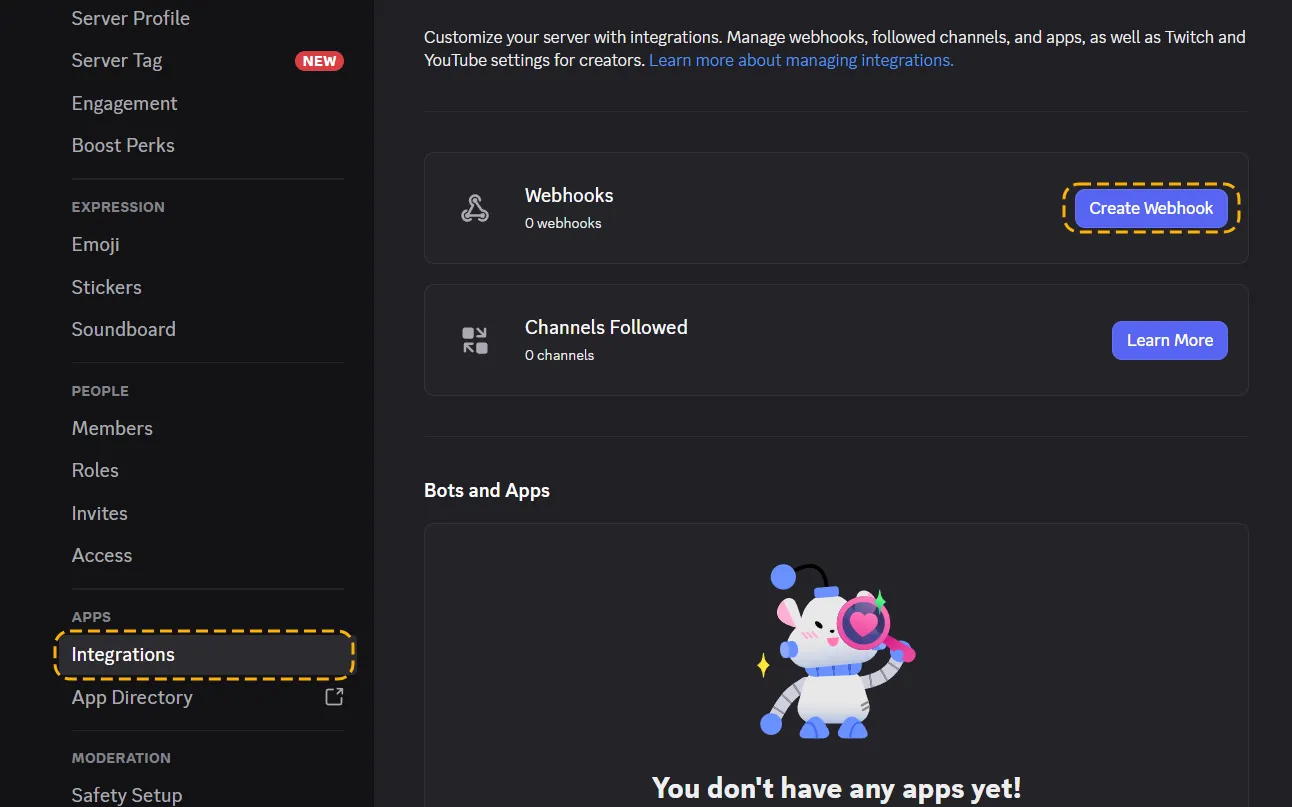
- Open your Discord server settings.
- Go to Settings → Integrations → Create Webhook.
- Choose the channel where clips should be posted.
- Copy Webhook URL
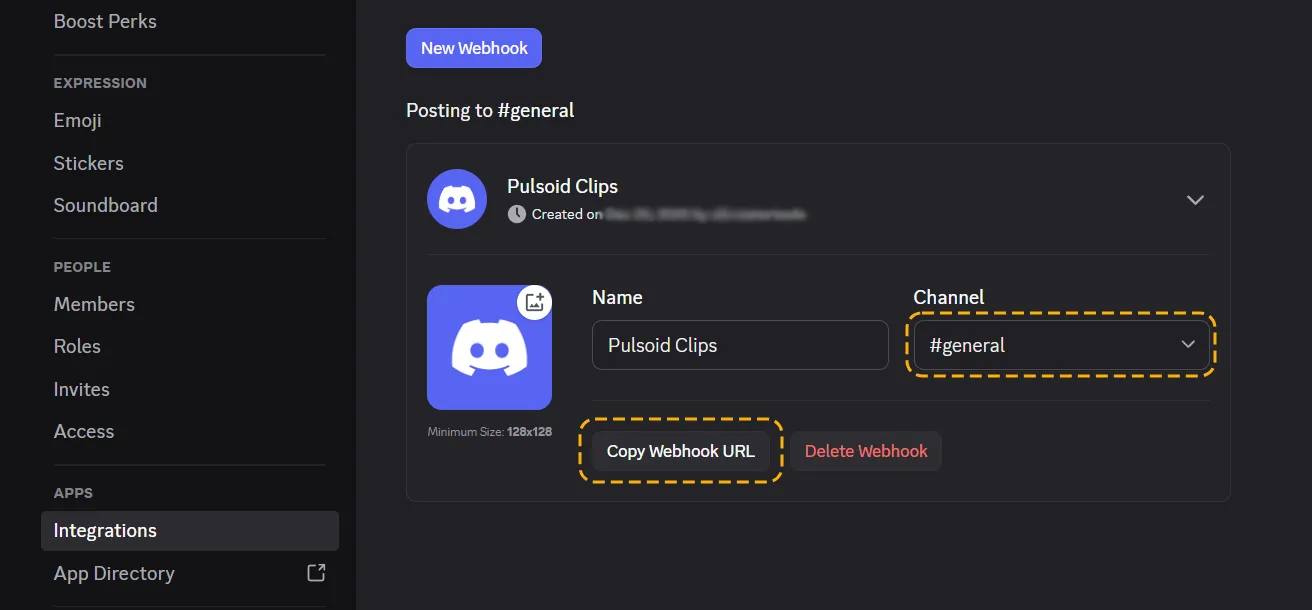
You can also change the name and avatar of the webhook, but keep in mind Pulsoid messages will overwrite them.
Creating Discord Webhooks integration in Pulsoid:
- Open your Pulsoid Dashboard and go to Integrations.
- Click Add to my integrations.
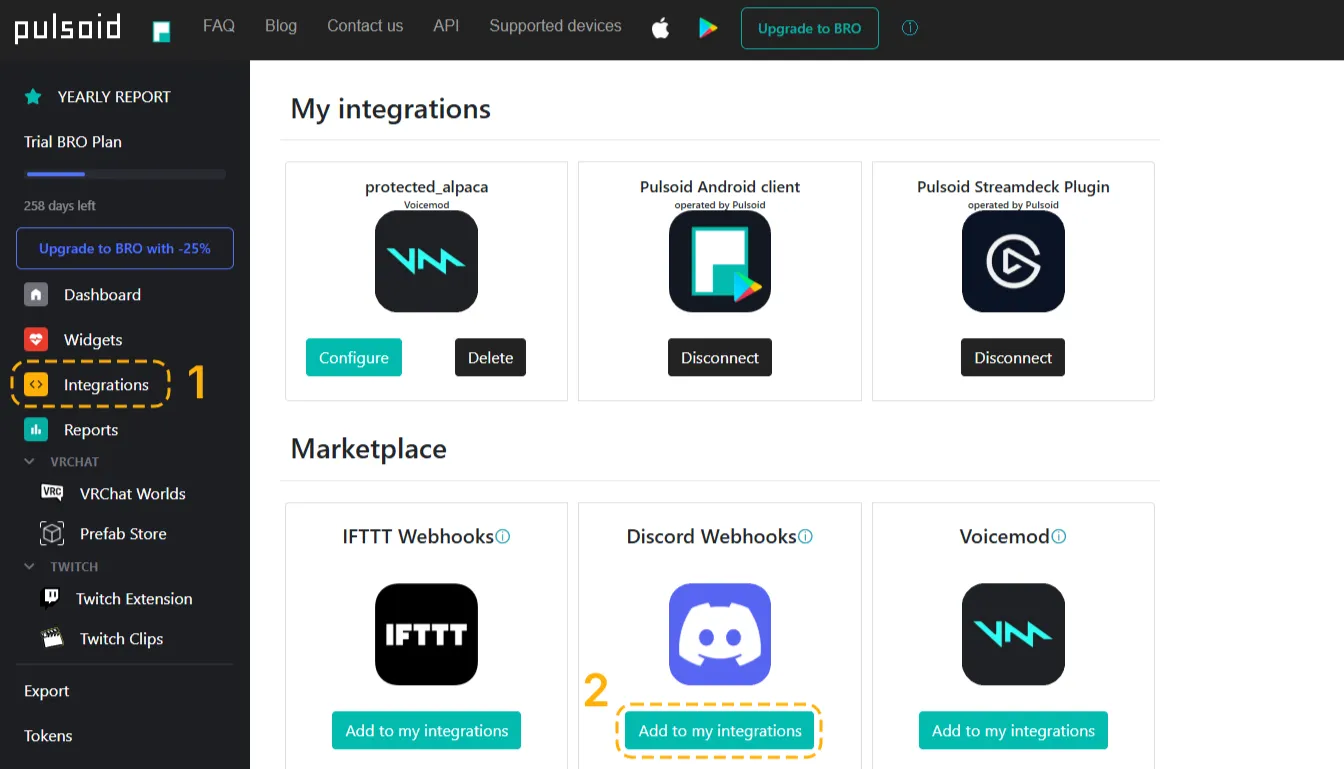
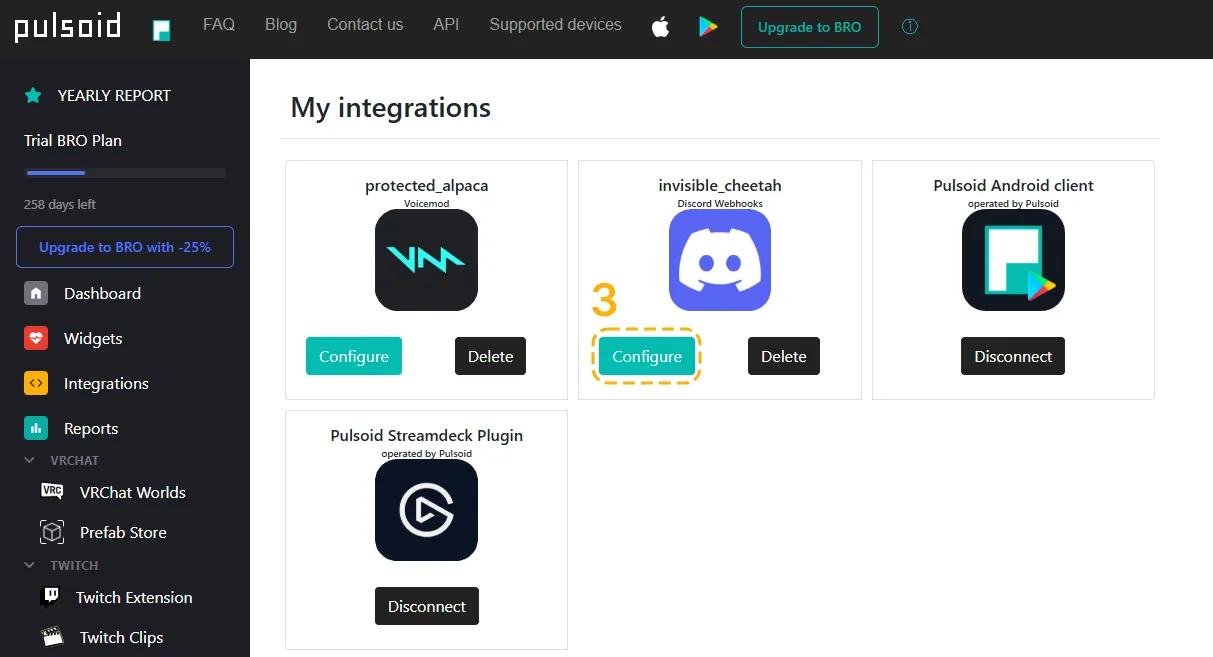
- Press Configure.
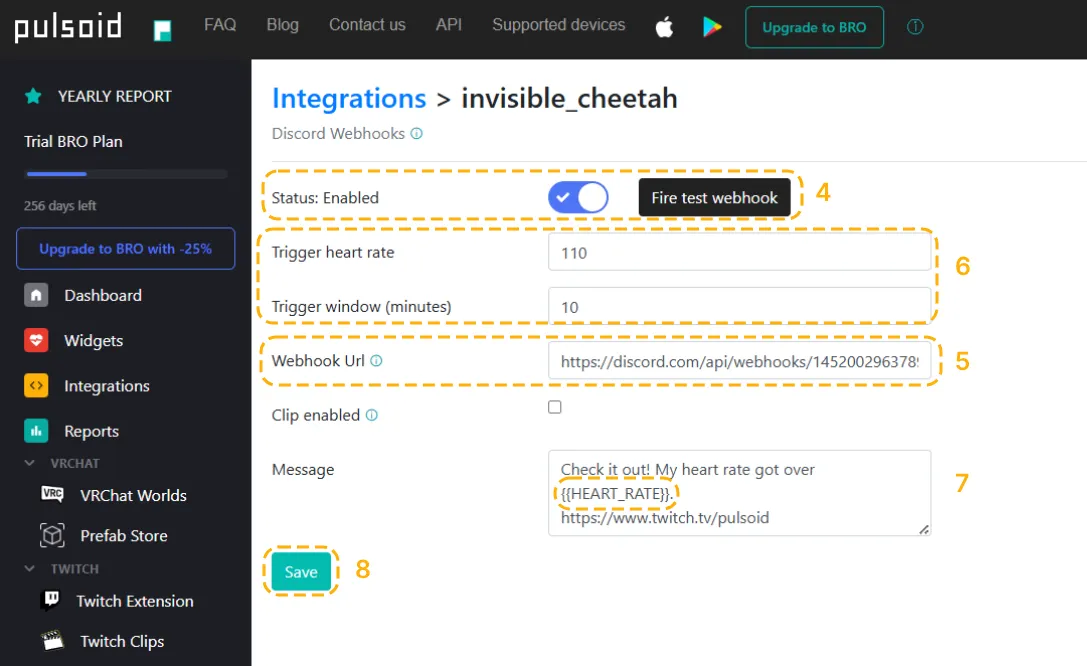
- Change status to Enabled
- Paste your webhook URL into the Webhook URL field.
- Set your triggers:
- Trigger heart rate – the heart rate at which a message will be sent
- Trigger window – the minimum time between messages
- Customize your message, but make sure to include {{HEART_RATE}}.
- Save your settings.
Done!
With the Discord Webhook integration, you can draw more attention to your streams by letting your community know when something exciting happens.